To verify an encrypted chat, check the app’s encryption status, confirm that you have the intended contact, and use its supported key-verification process. Comparing a safety number or QR code through a trusted independent route is a practical option; some apps also provide automatic verification based on key transparency. Neither a familiar display name nor a padlock alone proves a person’s identity.
Why Encrypted Does Not Automatically Mean Verified
End-to-end encryption is designed so that only the endpoints in a conversation can read its messages. Each participant has cryptographic keys, and the sender uses key information associated with the recipient to protect messages for that specific device.
That answers one important question: is the conversation encrypted between endpoints? It does not, by itself, answer another: does the key shown for this contact really belong to the person you intend to reach?
If someone presents a key while claiming to be your contact, encryption can still work even when that key belongs to an impostor. The message is encrypted, but to the wrong endpoint.
Contact verification connects a cryptographic identity with a human identity. It is a critical step before you send passwords, financial details, private documents, or sensitive media.
What key verification can—and cannot—prove
A matching fingerprint establishes agreement about the key information being compared. Connecting that key to a person depends on how you obtained the comparison. If you compare with an impostor, you can successfully verify the impostor’s device. Verification also does not prove the device is malware-free or that its owner will keep a message confidential.
Signal’s automatic key verification uses key transparency to check consistency between account identifiers and public keys. It complements manual safety-number checks, but availability depends on the contact and current app support. Follow the verification screen rather than assuming every chat offers it. Consistent key records and confirmation of someone’s real-world identity are distinct goals.
Post-quantum key agreement does not remove this distinction. A more resilient key exchange still needs to establish keys with the intended endpoint. Livara’s security documentation describes its own protocols and trust boundaries; those claims are not a substitute for checking the actual conversation or an independent assessment.
How Safety Number Verification Works
Many encrypted messaging apps convert complex cryptographic key information into a readable fingerprint: a long safety number, a sequence of words, or a QR code. Both participants should see matching representations for the exact same conversation.
Safety number verification means comparing those representations with your contact. A match provides evidence that both sides are comparing the same key information, assuming the comparison route and devices are trustworthy. A mismatch means you should stop and investigate immediately.
The exact interface varies by app, but the basic process to verify encryption keys is consistent:
- Open the contact's conversation details.
- Find the option labeled encryption, security, verify contact, or safety number.
- Display the numerical fingerprint or QR code.
- Compare it with the version shown on your contact's device.
- Mark the contact as verified if your app offers a toggle for this option.
A fingerprint is useful only when you compare it through a trustworthy route. Copying a safety number into the same unverified chat does not prove identity: an attacker controlling that channel could simply intercept and provide matching information.
QR Code Contact Verification In Person
QR code contact verification is a convenient way to compare the full verification data when both people are physically in the same room. Open the verification screen on both devices, then use one device to scan the QR code displayed by the other. Follow the app's confirmation flow and ensure it reports a successful match.
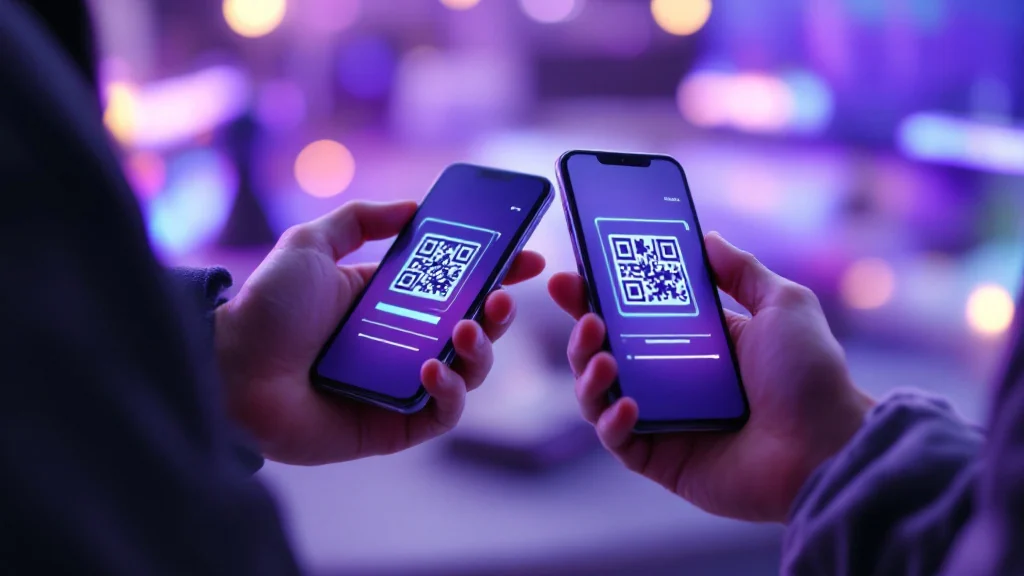
Use this operational checklist:
- Confirm that you are looking at the intended contact's exact conversation thread.
- Let your contact unlock and operate their own device.
- Scan the code directly from their active screen, not from a forwarded screenshot.
- Read the result carefully before marking the contact as verified.
- If the scan fails or reports a mismatch, do not exchange sensitive information.
A QR code is not inherently mathematically stronger than a numerical fingerprint; it is simply a less error-prone representation of the verification data. Its value depends on the authenticity of the comparison route, the app’s implementation, and the security of both devices.
Using Out-of-Band Verification From a Distance
When meeting is impractical, out-of-band verification provides a manual alternative. This means comparing the fingerprint through a communication path completely separate from the chat you are checking.
For example, call your contact using a traditional phone number you already know and ask them to read the safety number from their device aloud. Compare it carefully with the number displayed on yours. Voice or video recognition alone is not conclusive: accounts can be compromised and media can be imitated. For high-risk requests, combine an established independent contact route with context you already trust, and do not follow a replacement number supplied only by the unverified account.
The foundational rule is that the second route must not rely on the identity claim made inside the chat under review.
Avoid these security traps:
- Do not ask the contact to paste the number into the same unverified conversation.
- Do not trust a screenshot merely because it looks like your app's legitimate interface.
- Do not accept "it changed because I got a new phone" without confirming that explanation independently.
- Do not compare only the first and last four digits of a long fingerprint unless the app explicitly designs its verification process that way.
What an Unexpected Key Change Means
Encryption keys regularly change for benign reasons. A contact might replace a phone, reinstall the app, or reset an account; exactly which actions change identity keys depends on the messenger. Therefore, a changed key is not absolute proof of a man-in-the-middle attack.
Treat an unexpected change as a reason to check before sending sensitive material. A new key may be legitimate, but the previous manual comparison does not automatically establish trust in it. If your app alerts you to a security code change:
- Pause all sensitive messaging.
- Contact the person through a known, independent route (out-of-band).
- Ask if they recently changed devices or reinstalled the app.
- Open the current verification screen on both sides.
- Perform a new safety number verification.
- Resume sensitive communication only after the values perfectly match.
Be highly suspicious if the contact pressures you to ignore the alert, requests urgent financial transfers, or refuses to verify through another channel.
A Practical Trust Routine for Encrypted Chats
Apply verification protocols in proportion to your threat model. For routine conversation, simply pay attention to key-change alerts. For highly confidential work, always run a full verification check before the first sensitive payload is sent.
Verification reduces the risk of encrypting to an unexpected key. It does not replace device security, careful recipient selection, or judgement about what to send. Keep verification proportional to the consequences of sending to the wrong person.
Sources
What a changed safety number can tell you
Livara documents safety numbers for checking direct-chat key material. A changed number is a prompt to verify again, not proof of an attack: a reinstall, new device or key rotation can also change what is displayed. Compare the current number with your contact over a separate channel you already trust, and investigate an unexpected change before relying on the conversation.
This check binds the displayed key to the person you contacted through that separate channel. It does not prove their legal identity, protect an unlocked device, hide routing metadata, or turn public channels into private chats. See the Livara Chat security boundary for the currently documented implementation.