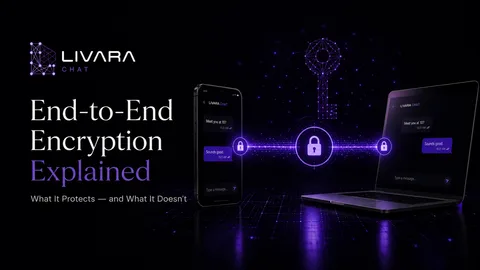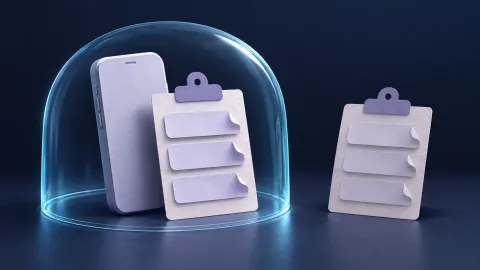
Encryption protects the message in transit; screenshot controls govern some copies made after it is displayed.
End-to-end encryption does not make a conversation screenshot-proof. It protects message content between the intended endpoints. A recipient's device must decrypt a message to display it, and that readable output can become a new copy.
Screenshot controls can reduce some copying, but their scope depends on the app, operating system and device. The useful question is not whether a chat is simply “secure”; it is which copy you are trying to prevent and which device controls it.
What encryption protects, and where copying happens
In an end-to-end encrypted conversation, the service routes encrypted content while the intended devices hold the keys needed to read it. This protects against particular intermediaries reading message contents. It does not oblige an authorised recipient to keep those contents private.
After decryption, a message may be displayed, read aloud, saved or shared. A screenshot copies the displayed result; it does not crack the encryption algorithm. The same distinction applies to someone photographing a screen with another camera.
This boundary matters even when everyone is well intentioned. A screen-share session, a visible notification or an accidentally forwarded image may disclose a private conversation without anyone attacking its cryptography.
Blocking, detecting and discouraging are different controls
| Control | Intended benefit | Important limit |
|---|---|---|
| Screenshot blocking | Prevent supported software capture of a protected screen | Cannot stop another camera or a recipient retyping text |
| Screenshot detection | Notify the app that a supported capture event occurred | Detection is not prevention and does not cover every method |
| Disappearing messages | Reduce how long supported clients retain a message | A separate copy may outlive the timer |
| View-once media | Limit normal reopening or saving inside the app | Does not guarantee that the recipient kept no copy |
| Hidden notification previews | Reduce exposure outside the chat screen | Does not conceal content once the conversation is opened |
A label such as “private mode” is not enough to determine which protections are present. Read the feature description and check the current release on every device you use.
Android has screenshot detection, but not universal detection
Android 14 introduced a screenshot-detection API. An app can register a callback for a visible activity and receive a notification when a supported screenshot occurs. The system also notifies the person taking it. The callback does not deliver the screenshot image to the app.
The Android documentation describes an important limit: on Android 14, detection covers the specified hardware-button combination, not every screenshot mechanism. Whether a chat partner receives an alert also depends on the messenger implementing that behaviour. No alert is therefore not proof that no copy was made.
What Android's FLAG_SECURE does
Apps can mark a sensitive window with FLAG_SECURE to prevent its contents appearing in screenshots or on non-secure displays. This is a separate display control, not a property supplied by end-to-end encryption.
Google's sensitive-activity guidance also documents limitations, including that this is not a reliable defence against overlay attacks. Support and implementation matter. Do not assume every screen in a messenger uses the flag, or that a mobile setting applies to linked desktop and web clients.
We have not tested a specific Livara release for screenshot blocking or notifications in this article. The discussion above explains platform capabilities, not a claim that Livara has enabled every one of them.

How to check a messenger without exposing a real conversation
Use a harmless test message with a trusted contact and record the app and operating-system versions.
- Check whether screenshot protection is optional and which screens it covers.
- Try the ordinary screenshot function on the supported device. Observe whether it is blocked, captured or reported.
- Check notification previews and ordinary screen sharing separately; one result does not establish another.
- Check linked devices. A protection on the phone may not exist on the desktop client.
- Treat the result as evidence for that tested configuration, not a guarantee against every capture method.
Do not use sensitive photos or someone else's private messages for this test.
Practical precautions before sending sensitive material
Choose the recipient and channel carefully. A group adds recipients and devices. Review membership before sharing, and verify an unexpected contact or key change through a trusted route. Identity verification can help detect a wrong key; it cannot certify that the recipient's device is malware-free or that they will never share a message.
Reduce unnecessary detail. Send the part of a document needed for the task rather than an entire file containing unrelated identifiers. Where appropriate, use a controlled document-sharing workflow instead of placing a permanent copy in a chat.
Agree on expectations. Ask before sharing someone else's messages or images. A no-forwarding agreement is a social safeguard, not a technical guarantee.
Protect your own endpoint. Hide previews, end screen sharing before opening private chats and review connected devices. See the Android session-security guide for risks that arise after a message reaches the phone.
Common questions
Can I remotely erase a screenshot by deleting the original message?
Do not assume so. Deletion inside the messenger does not reliably remove an independent screenshot, photograph or exported copy outside its control.
Does a screenshot warning mean the picture was shared?
No. A detected capture event does not establish where the resulting file went or why it was taken. Equally, the absence of a warning does not prove that nothing was copied.
Are disappearing messages still useful?
They can reduce ordinary retention when supported and configured correctly. Use them to limit accumulation, not as a promise that a recipient cannot preserve content.
The realistic goal is to reduce unwanted copies and choose trustworthy recipients, not to promise that readable information can never be copied.