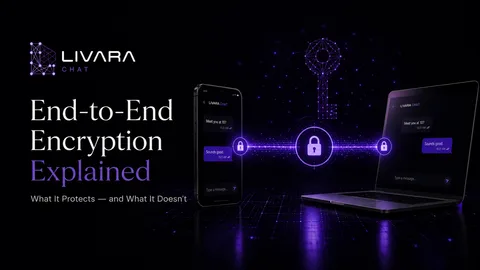
End-to-end encryption protects the delivery path; the devices handling readable messages still need protection.
End-to-end encryption protects messages between devices. It does not make either device immune to spyware. Pegasus and Paragon's Graphite illustrate that distinction: attackers can exploit a phone and collect data available there without first breaking the messaging protocol's encryption.
A compromised phone does not necessarily need to wait for you to unlock the screen or open a chat. What an implant can retrieve depends on its privileges, the operating system, the app and the device's security state. Describing spyware as only a screen reader understates the threat.
What the Pegasus and Paragon investigations actually found
In Graphite Caught, published on 12 June 2025, Citizen Lab reported forensic findings concerning two journalists who had received Apple threat notifications on 29 April. Investigators attributed compromise of one journalist's device to Graphite with high confidence and identified a related zero-click targeting attempt against Ciro Pellegrino. The report linked the cases to an iMessage attack and said Apple had mitigated the vulnerability in iOS 18.3.1. These are findings about particular devices and attacks, not proof that every phone or messaging app is vulnerable in the same way. Read Citizen Lab's investigation.
Amnesty International's 16 July 2026 Pegasus analysis examined forensic evidence and NSO Group material disclosed in litigation. It describes collection from compromised devices across categories including messages, calls, files and photos. That is a broader capability than capturing whichever chat happens to be visible. Read Amnesty's technical analysis.
The practical conclusion is narrower than “encryption failed”: a device that handles readable messages is itself an important security boundary.
How spyware can read an encrypted conversation
A messaging app needs readable content at the sending and receiving ends. End-to-end encryption keeps that content encrypted between those ends; it does not remove the need to trust the software and hardware processing it. Encryption in transit and encryption of stored device data solve different problems. EFF's encryption explainer explains these distinctions.
Use this table to separate threats that otherwise get grouped together:
| Situation | What can be exposed | Relevant protection |
|---|---|---|
| Someone observes network traffic | Encrypted traffic and some connection information | Correctly implemented, authenticated E2EE protects message content |
| Someone obtains an unlocked phone | Chats and other information the device allows them to access | Device lock, access controls and account/session management |
| Spyware compromises a device | Data accessible with the implant's privileges | OS and app security, timely patches and specialist incident response |
| An app has notification access | Notification content allowed by the OS and settings | Limit notification access and message previews |
| A recipient copies a conversation | The content they received | Recipient trust and careful sharing; encryption cannot retract their copy |
Changing ciphers cannot, by itself, remove malware. Equally, endpoint risk is not a reason to abandon E2EE: protecting the delivery path remains valuable.
Notification leaks are a separate, smaller boundary
Android notification access is not the same thing as a Pegasus-class exploit. A notification listener receives events from the notification system, subject to permissions and platform restrictions. The messaging app's preview settings influence what content is available. Android documents the notification-listener API.
Avoid the claim that every notification listener can always read every one-time code. Android 15 introduced redaction of detected OTP notifications for untrusted listener apps, with specified exceptions. Such protections do not turn a compromised phone into a trusted endpoint. See Android's security changes.
For everyday privacy, review apps with notification access, remove access that is unnecessary, and hide sensitive lock-screen previews. Test the result with a harmless message rather than assuming the setting worked.
What to do if you are concerned about spyware
Start with proportionate prevention
Keep the operating system and apps updated, use a strong device passcode, and protect important accounts with strong authentication. Apple says mercenary spyware targets a small number of selected people, often because of their work or identity. Ordinary account theft, malicious apps and physical access still deserve attention. Apple's threat-notification guidance.
For people facing highly targeted attacks, Apple's Lockdown Mode reduces the attack surface by restricting some features. It changes how apps and websites work and is not a guarantee against every attack. Review the tradeoffs and enable it on the relevant supported devices if it fits your risk. Apple's Lockdown Mode guide.
Treat a credible warning as an incident
If you receive an Apple threat notification, verify it by signing in directly to your Apple Account rather than following an unexpected message's links. Apple recommends expert assistance, including Access Now's Digital Security Helpline. A genuine notification does not ask you to install a profile or disclose your password by email or phone. How Apple notifications work.
A clean-looking phone is not a forensic result. The Mobile Verification Toolkit (MVT) is designed for trained investigators, not end-user self-assessment. Its documentation warns that public indicators alone cannot establish that a device is uncompromised. Seek qualified help rather than treating an empty scan as clearance. MVT's scope and limitations.
How to assess a messenger's spyware claims
Ask three separate questions: What is encrypted? Who holds the keys? What happens when an endpoint is compromised? A useful security description answers all three rather than promising a “spyware-proof” chat.
Livara's published security boundaries and threat model describe its encryption and acknowledge that malware, an unlocked device or a recipient can expose plaintext. Those are product documentation claims, not an independent audit or a promise that Livara prevents Pegasus or Graphite infection.
The Proof Lab can help inspect specific cryptographic demonstrations and compare an APK against a trusted checksum. A matching hash establishes a match to that digest; it does not establish that the code is vulnerability-free, or detect spyware elsewhere on the phone. This is a useful check with a specific scope, not a substitute for endpoint security.
Frequently asked questions
Did these investigations show that E2EE was mathematically broken?
No such break is demonstrated by the reports cited here. They describe device targeting and compromise. Avoid generalizing beyond the particular evidence each investigation presents.
Is hiding message previews enough to stop spyware?
No. It reduces one route for exposing notification content. An implant with deeper device access may have other ways to collect data.
Does an app lock make a compromised phone safe?
No. An app lock can deter casual access, but its protection depends on the integrity of the device enforcing it. It is not evidence that the operating system is trustworthy.
Bottom line: Keep E2EE, but evaluate it alongside device security, notification settings and a realistic response plan. A strong encrypted channel and a trustworthy endpoint are complementary protections.